Features · Quality
Catch quality issues where the work happens.
Offsight Quality keeps checklists, failures, alerts, automations, inspection packets, photos and proof tied to the unit from the station to the final record.

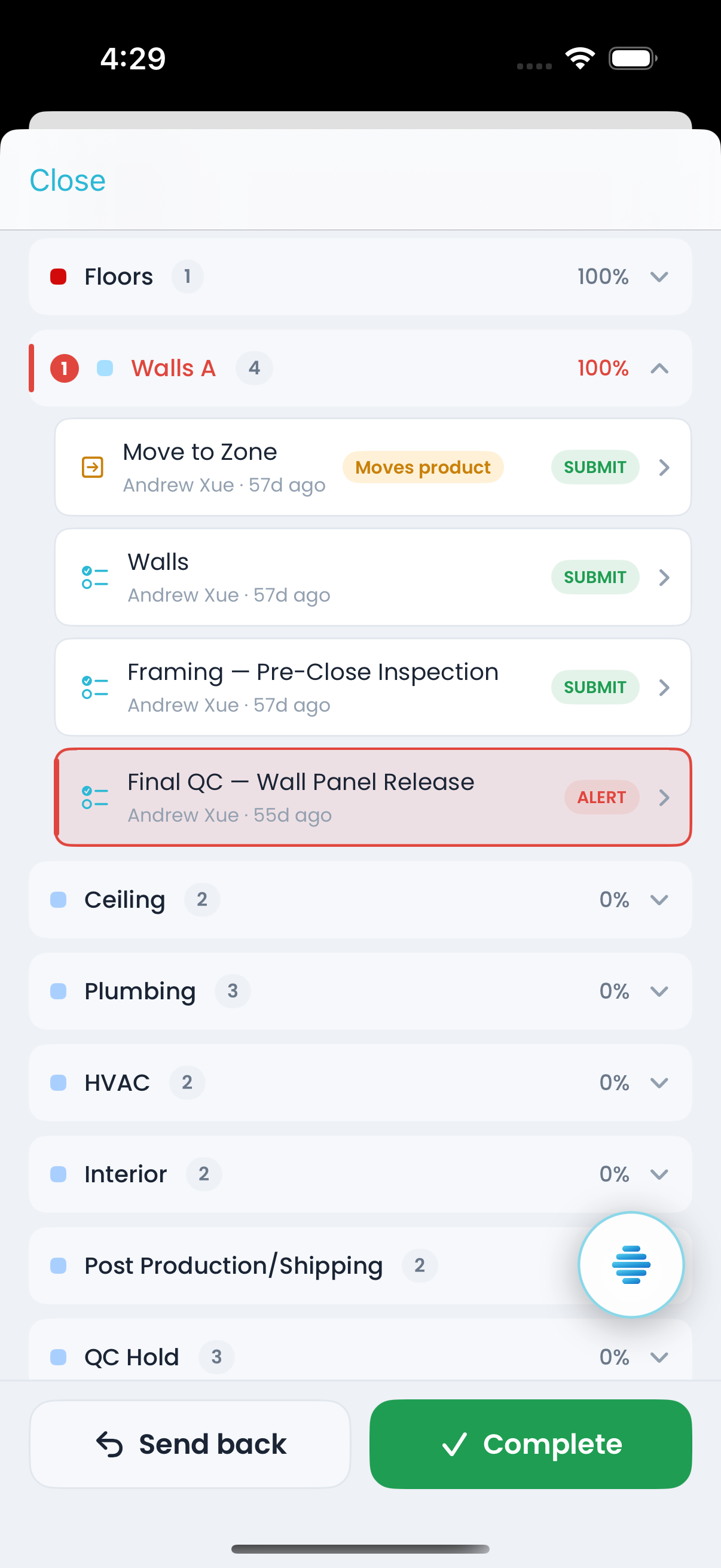
How this is put together
Quality runs through Live checklists, alerts, automations, paperwork, repository records and analytics reports so defects stay connected to production.
Operational benefit
Failed checks become visible immediately.
- Checklists follow the product through each work area on the Live board.
- A failed task flags the unit on Live so the team sees and resolves it.
- The Alerts board shows failed checks with time, product, checklist, work area and user context.
- Automations can notify the right team, pause work or create follow-up when a check fails.
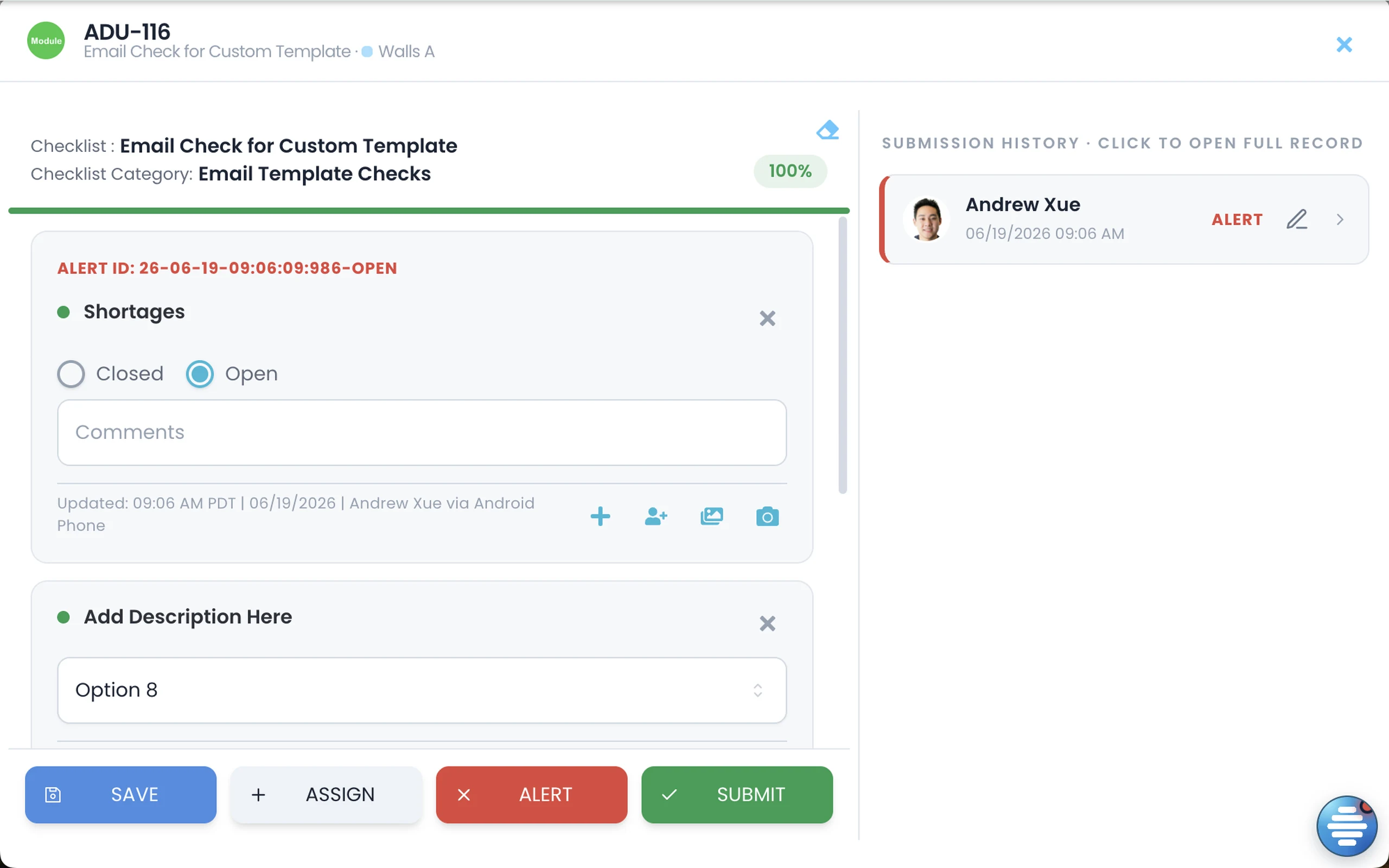
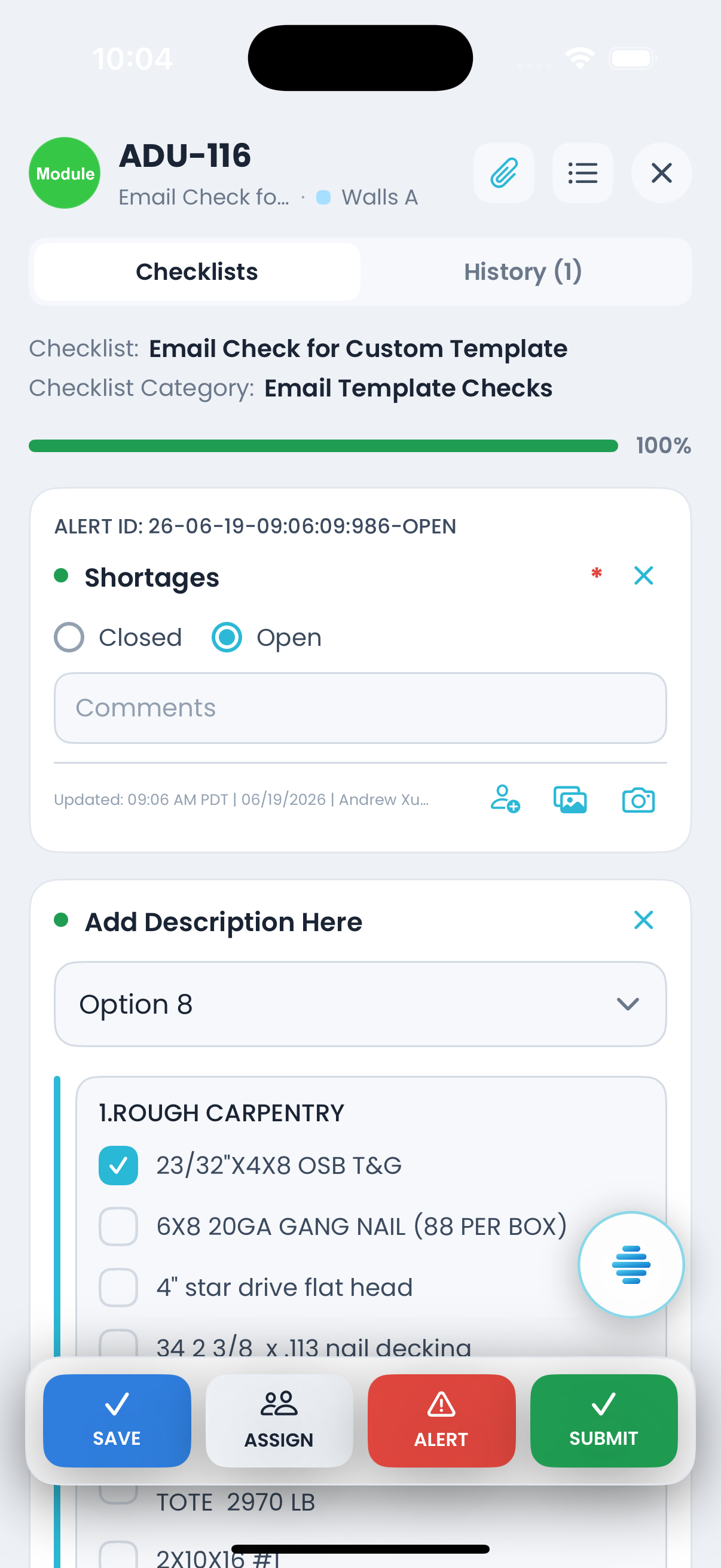
What is included
Checklists, failures, packets, proof, automation and quality analytics.
Checklists by work area
Apply checks by work area so quality is captured at the station.
Failure states that stick
Failed tasks flag the unit and stay open until someone clears the issue.
Automations on failure
Rules can notify a department, create follow-up work or escalate repeat failures.
Inspection packets
Complete PDF-backed forms and multi-page inspection packets on the floor.
The Repository
Store each packet with submitter, progress, status and long-term proof.
Quality analytics
Measure Quality and First-Time Quality by zone and product type with drill-down and export.
With Offsight AI
Offsight AI explains the failure pattern.
Offsight AI reads submissions, photos, SOPs and history to find which zone, step or shift needs attention.
Explains the failure. Ask why a check keeps failing and get the spec, submissions, history, zone and step behind it.
Diagnoses from a photo. Attach a defect photo and the Assistant can answer against your SOPs and current screen context.
Builds inspection packets. Upload an inspection PDF and Offsight AI helps turn it into a digital packet with fields and tolerances.
Answers from the submitted record. Ask what happened on a unit and Offsight AI answers from submitted records and proof packets.
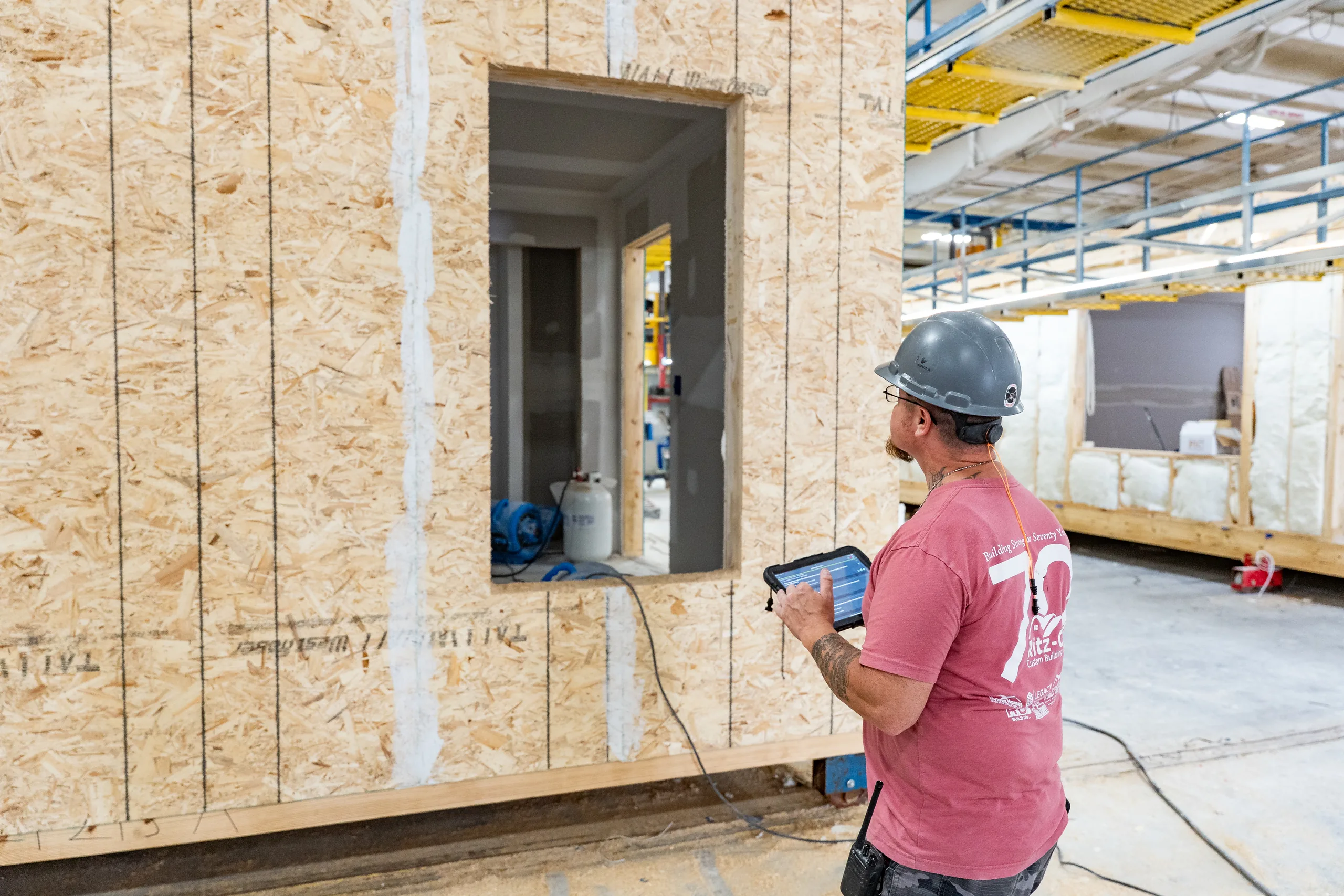
On the floor
Quality gets captured where the defect is found.
Connected to
The rest of the Offsight system.
See Quality running on your factory workflows.
We will walk through the workflows using your products, teams and factory terminology.