Resources · Offsight APIs
AI-ready factory data,
through a modern API.
Connect ERP systems, design tools, analytics dashboards and AI agents to live Offsight production data.
AI-ready request
curl -sS \
  -H "x-api-key: $OFFSIGHT_API_KEY" \
  "https://ai.offsight.com/api/apps/v1/open/production/products/4689/status"
200 OK
{
  "data": {
    "currentZone": { "zoneName": "Floors" },
    "counts": { "alert": 1, "success": 12, "save": 2 },
    "tasks": [
      { "task_name": "Deck fastening pattern", "resolved_status": "SUCCESS" },
      { "task_name": "Subfloor moisture check", "resolved_status": "ALERT" }
    ]
  }
}
Consistent base path
Every endpoint lives under /api/apps/v1/open on your Offsight host, with a full base URL ready to copy.
Simple authentication
Send a scoped API key in the x-api-key header and start building without a custom services project.
Scoped access
Requests are limited to the account and permissions behind the key, with usage visible in the API dashboard.
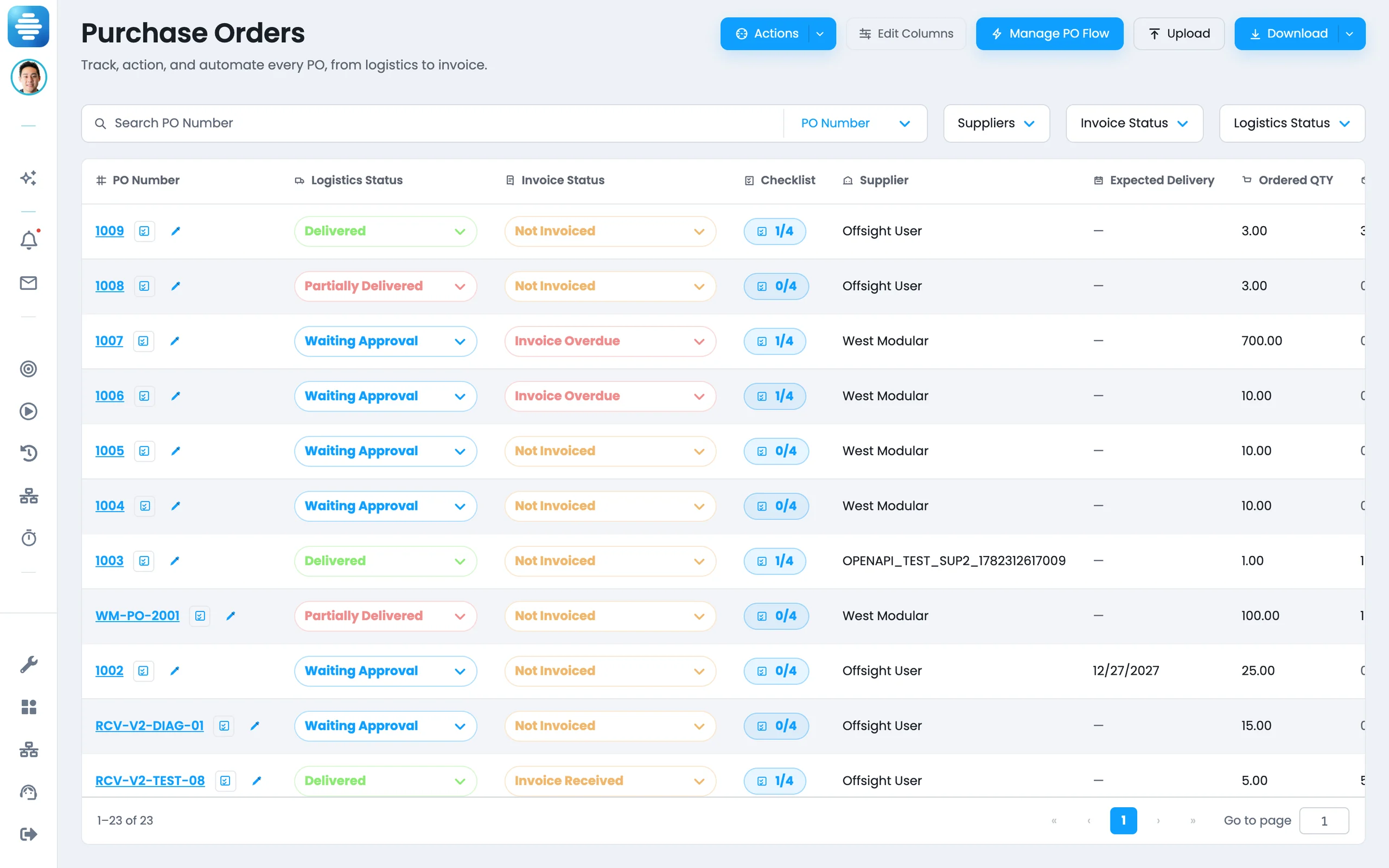
API console
Documentation, keys and usage live in Offsight.
- Browse endpoints by workflow: planning, production, materials, labor and alerts.
- See parameters, examples and response samples without leaving the product.
- Copy the base URL, request examples and response payloads in one click.
- Manage sandbox and production keys from the same screen.
- Track usage, limits and activity as calls land.
- Download a PDF reference generated from the same API catalog.
Access
Secure keys for modern automation.
Prototype with sandbox access, then move the same integration into production when it is approved.
Sandbox key
Use it to test ERP syncs, design imports and AI workflows before go-live.
Limits and expiry are visible in the dashboard.
Production key
Issued when your integration is ready for live operations.
Keys are hashed, scoped, revocable and built for secure production use.
Read and write through the same API
Use JSON POSTs for schedule updates, production orders, material records and other workflow changes.
Update a planned window
curl -sS -X POST \
  -H "x-api-key: $OFFSIGHT_API_KEY" \
  -H "content-type: application/json" \
  -d '{"updates":[
        {"level":"zone","product":"Module B1","zone":"Floors",
         "targetStart":"2026-07-01T07:00:00Z",
         "targetEnd":"2026-07-01T15:00:00Z"}
      ]}' \
  "https://ai.offsight.com/api/apps/v1/open/planning/schedule"
Invalid keys return 401. Rate limits return 429 with clear details and a Retry-After header when applicable.
Endpoint catalog
AI-ready endpoints for factory workflows.
Structured data for systems and AI agents that need production context.
Vision AI
Read what your cameras watch and the machine states Vision AI confirmed.
| Method | Path | What it returns or does | Parameters |
|---|---|---|---|
| GET | /vision-ai/targets | Each watched machine with its camera feeds and trained states. | — |
| GET | /vision-ai/detections | Confirmed machine state changes, newest first, with confidence. | from, to, machine_id, target_id, limit |
Planning
Read and update schedules across projects, products and zones.
| Method | Path | What it returns or does | Parameters |
|---|---|---|---|
| GET | /planning/schedule | Planned and target dates for each project, product and zone. | projects, products |
| POST | /planning/schedule | Update schedule windows in one batched call. | level, product, project, zone, targetStart, targetEnd |
Production
Create orders from ERP or design-driven planning tools and read live station status.
| Method | Path | What it returns or does | Parameters |
|---|---|---|---|
| POST | /production/product-orders | Create a production order with optional zone-level dates. | projectOrderName, productName, productType, targetStart, targetEnd, zones[] |
| GET | /production/products | Find Offsight product IDs for downstream API calls. | project, product, limit, offset |
| GET | /production/products/{id}/status | Live zone, task status and quality signals for a unit. | id (path) |
| GET | /production/products/{id}/zone-time | Actual time in each zone and total time for the unit. | id (path) |
| GET | /production/products/{id}/history | Task history by zone with timestamps, user and status. | id (path) |
| POST | /users | Create users from the system that owns your directory. | name, username, email, userGroup, department |
| POST | /departments | Create departments for reporting and access control. | departmentName |
Materials
Sync suppliers, materials, BOMs, warehouses, inventory and activity with ERP.
| Method | Path | What it returns or does | Parameters |
|---|---|---|---|
| POST | /materials/suppliers | Create suppliers with addresses and currency. | supplierName, primaryContactName, contactEmail, currency, addresses[] |
| POST | /materials/materials | Create material records linked to suppliers and categories. | materialId, materialName, materialCategory, supplier, unitOfMeasure, partNumber |
| POST | /materials/boms | Create product-type or shared BOMs. | bomName, productType |
| POST | /materials/boms/{id}/items | Add BOM materials, quantities and consuming zones. | id (path), material, bomQty, zone |
| POST | /materials/inventory | Create project inventory with cost and reorder settings. | material, project, initialCost, minStockQty, minOrderQty, warehouse |
| POST | /materials/warehouses | Create one or many warehouses. | warehouseNames[] |
| GET | /materials/logs | Issue, transfer and consumption history, filtered by project and product. | projects, products |
Labor
Pull time data for payroll, costing, capacity planning and AI forecasting.
| Method | Path | What it returns or does | Parameters |
|---|---|---|---|
| GET | /labor/product-hours | Daily hours by product. | from, to, timezone |
| GET | /labor/zone-hours | Daily hours by zone for capacity models. | from, to, timezone |
| GET | /labor/user-hours | Daily hours by user for payroll. | from, to, timezone |
| GET | /labor/project-hours | Daily hours by project order. | from, to, timezone |
Machines
Read machine records, live states, state history, maintenance and tools.
| Method | Path | What it returns or does | Parameters |
|---|---|---|---|
| GET | /machines | Every machine with its zone, IoT device and current state. | active, zone_id, search |
| GET | /machines/{id} | One machine, plus the machine states it uses. | id (path) |
| GET | /machines/{id}/state-history | State periods in a window, newest first, with durations. | id (path), from, to, limit |
| GET | /machine-states | Machine states on the account, in display order. | — |
| GET | /machines/maintenance | Maintenance for machines and tools, soonest due first. | status, machine_id, equipment_id, from, to, today, limit, offset |
| GET | /machines/equipment | Tools and equipment with status, location and who has them. | status, zone_id, search |
Alerts
Read quality, labor, material and purchase-order exceptions as structured events.
| Method | Path | What it returns or does | Parameters |
|---|---|---|---|
| GET | /alerts/production | Quality and production events with task, form and submitter. | date, product, productType, project, zone, alertType, currentStatus, user |
| GET | /alerts/assign | Assigned work alerts with due date and assignee. | date, dueBy, product, productType, project, user |
| GET | /alerts/labor | Labor alerts by user, group or department. | date, alertType, user, userGroup, department |
| GET | /alerts/material | Inventory and transfer alerts by material, product and project. | date, alertType, materialName, product, productType, project, zone, user |
| GET | /alerts/purchase-order | Purchase-order alerts with PO number, triggering answer and resolution. | date, status, poNumber, triggeringAnswer, triggeredBy |
Usage
Pull account activity by day, week or month for external reporting.
| Method | Path | What it returns or does | Parameters |
|---|---|---|---|
| GET | /usage/active-users | Active users per bucket, plus the last login of every user. | from, to, bucket |
| GET | /usage/production | Products created, tasks submitted and photos submitted. | from, to, bucket |
| GET | /usage/materials | Materials consumed, POs created and updated, BOM changes. | from, to, bucket |
| GET | /usage/labor | Clock-ins, clock-outs, scheduled users and labor tags. | from, to, bucket |
| GET | /usage/work | Work-tracker tables, rows and paperwork activity. | from, to, bucket |
Want to connect these APIs to your ERP, design tools, analytics or AI workflows?
Sign Up For FreeUsage
Live metering built in.
Teams can see API usage before it becomes a problem.
Live meters
Usage bars update as calls land in the API dashboard.
Clear limits
Sandbox and production access show clear limits and remaining usage.
Admin alerts
Offsight notifies admins when usage needs attention.
Result shape
Filtered data that is ready to use.
- Product lists support predictable paging.
- Labor reports use date ranges and time zones for clean scheduled syncs.
- Planning and material calls filter by project and product before data returns.
- Alert calls return rows and counts for reporting, agents and dashboards.
- Server-side filters keep integrations fast and focused.
Developer guide
Offsight API quick start
A concise primer for the base path, API key header, first read, first write, limits and common ERP-to-Offsight sync patterns.
Built for hands-on implementation, not a brochure.
Under the API
The API connects to the production backbone.
It works with the same data Offsight, mobile users and AI workflows already use.
Live operational data. Reads and writes use the same production records as the Offsight console and mobile apps.
Integrations plus APIs. Use native ERP and design connectors where they fit, then use the API for custom workflows.
AI-assisted setup. Offsight AI helps map fields, generate workflows and guide configuration.
Modern cloud foundation. Secure cloud services, relational production data, caching and account-level separation support reliable integrations.
For the security review
What IT needs to know.
- Encrypted in transit over TLS and encrypted at rest.
- API keys are hashed, revocable and auditable.
- Usage is metered by account so unusual volume is visible.
- Console sign-in supports two-factor authentication and role-based module permissions.
- Customer data is separated by account with audited access controls.
- API access is controlled as its own module.
Keep reading
The rest of the IT picture.
Apps & Integrations
ERP and design software connections, plus what each one syncs.
Learn moreSecurity and architecture
Encryption, authentication, permissions, data separation and access auditing, written for reviewers.
Learn moreSupport
Ticketing, SLA-backed first response, escalation and security controls, on the console and both mobile apps.
Learn moreBring the ERP, design tool, dashboard or AI workflow you want connected.
Sign Up For FreeUnder the hood
Connect Offsight to the systems your team already uses.

See the API against your own workflows.
Bring an ERP product order, a model or BOM export, or a report you still build by hand.