Offsight Vision AI
Get automated, real-time insights into your factory.
Live, from the cameras you already have.
Offsight connects to your existing shop floor cameras to monitor production automatically. Track labor and machine utilization, spot bottlenecks as they happen, and see where downtime drives up costs.
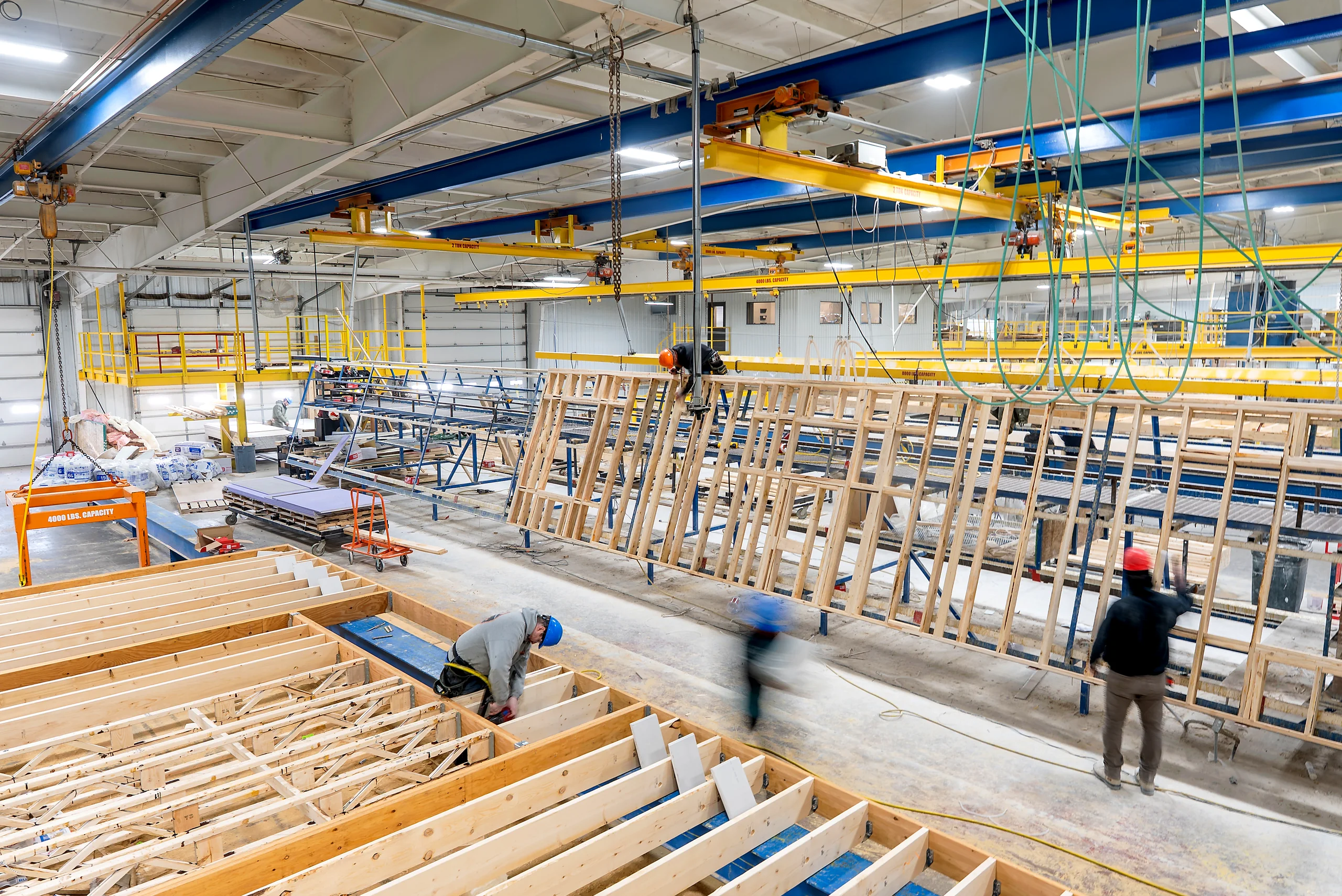
Today on Wall Line 2 example
- Idle labor
- $1,240
- Saw 2 idle
- 52 min
- Line 3
- Waiting on studs
- Works with the cameras you already have
- Live in minutes
- ROI from week one
Built with teams at







Offsight Vision AI · See it in action
Your cameras already see the whole floor.
Vision AI makes every frame count.
A looping Offsight Vision AI film. Sound is off until you turn it on.
What Vision AI sees
Every camera becomes
a live sensor on your floor.
Teach Vision AI what matters on your floor once. From then on, every frame updates Offsight: machine states, production progress, people and activity, tools and equipment.
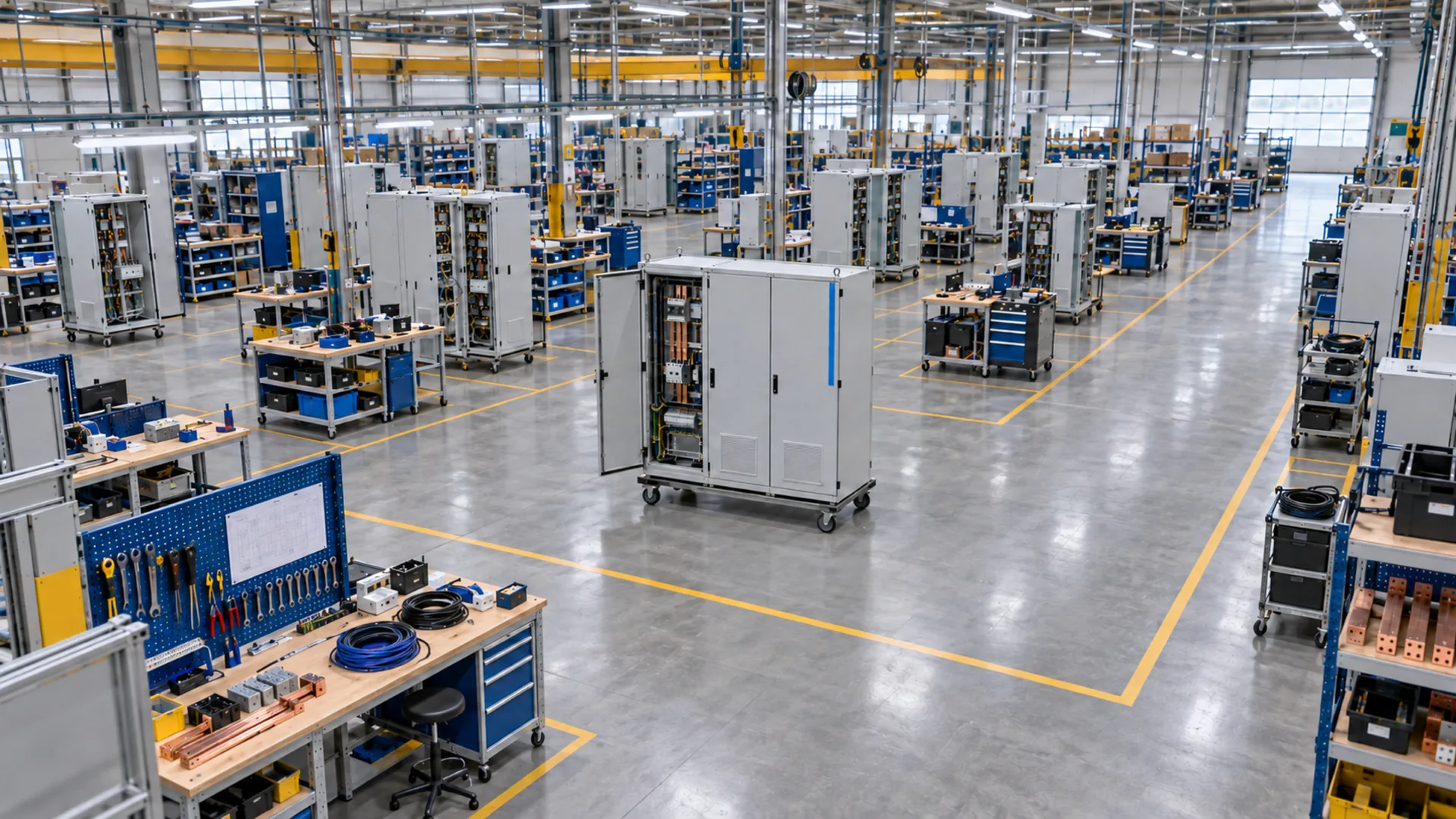
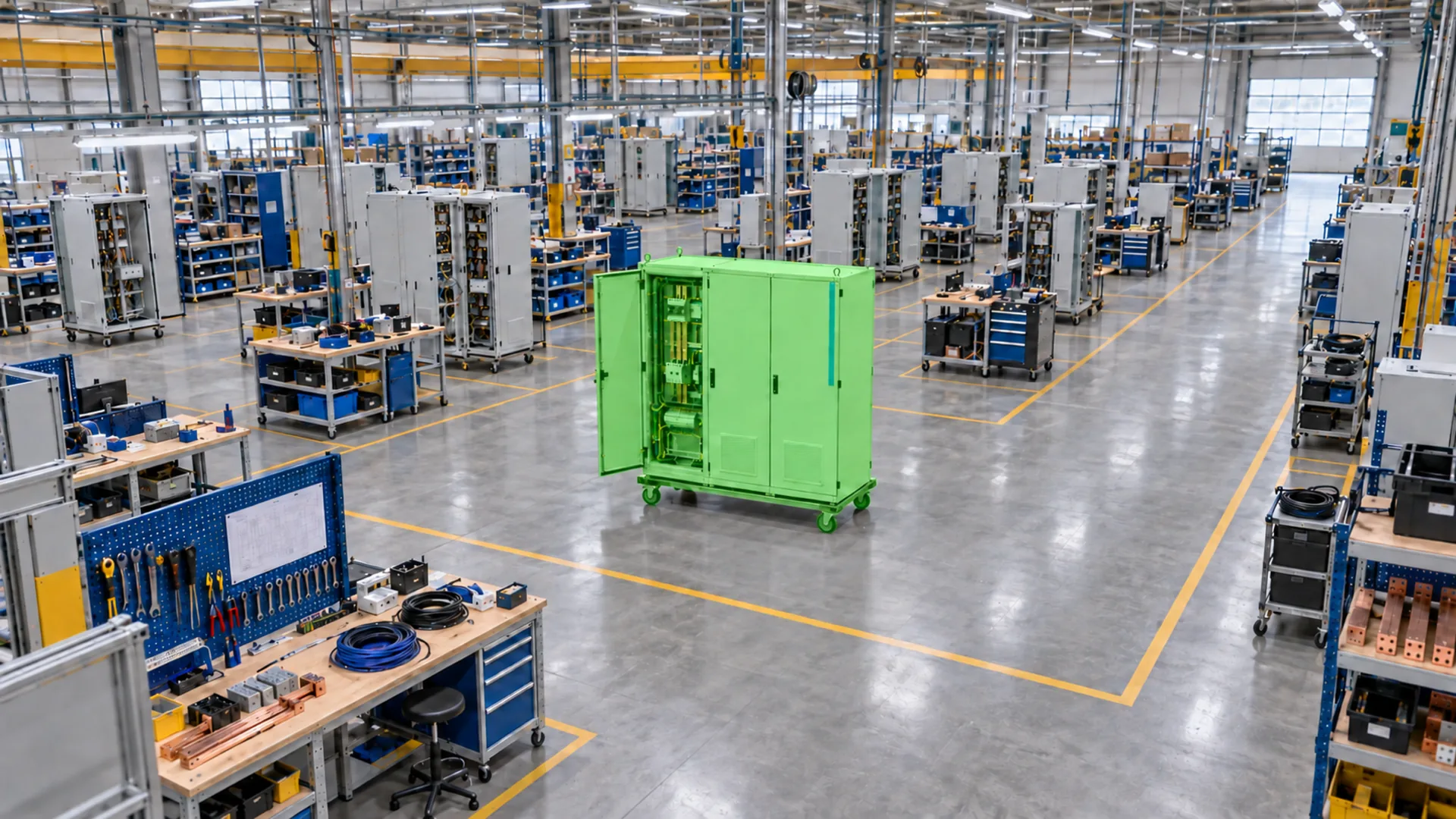
Drag to see what Vision AI detects.
- Machine statusTrack when machines are on, off, in use or under repair, and add your own states.
- Production progressSee which product is in each work area, without scanning.
- People and activityCount people in every work area and see active, idle and understaffed areas.
- Tools & equipmentFind carts, welders and other equipment in each work area.
Offsight AI · Built for Vision AI
A VLM trained for manufacturing.
Ask your cameras anything.
Offsight AI is a Vision Language Model (VLM) trained for manufacturing. It turns Vision AI data into reports, charts and graphs, and answers questions about your floor in real time.
- Charts and dashboards from live camera data.
- Reports on stops, idle time and what they cost.
- Real-time answers, with the frames behind them.
You asked Offsight AI: Build me a live dashboard of machine utilization this week from Vision AI.
Offsight AI checked: Reading machine states from every camera; Adding up run time by machine and by day; Building your dashboard.
Here’s your dashboard, live from the cameras. Machine utilization is 71% this week, up 6 points, with 114 h of run time across five machines. Today is running at 78%, above the 75% target.
Saw 2 is the low spot at 55%. Every number moves as new frames arrive.
Offsight AI built a live dashboard, Machine utilization, This week · Mon to Thu:
- Utilization: 71%, up 6 pts on last week
- Today: 78%, above target, updating live
- Run time: 114 h, up 10 h on last week
| Machine | Utilization |
|---|---|
| CNC Router 1 | 84% |
| Saw 1 | 78% |
| Nailer 1 | 72% |
| Press 1 | 66% |
| Saw 2 | 55% |
| Day | Utilization (%) |
|---|---|
| Mon | 65 |
| Tue | 68 |
| Wed | 73 |
| Thu | 78 |
Suggested next steps: Pin to Analytics; Share as a PDF; Why is Saw 2 low?.
You asked Offsight AI: Which machines stopped the most this week, and what did it cost?
Offsight AI checked: Reading this week’s machine states from Vision AI; Pricing every stop at your machine rates; Writing the PDF report.
Vision AI logged 31 stops this week, 12 h of stopped time, which cost $5,400 at your machine rates. Saw 2 stopped the most: 11 stops and 304 min, or $2,280.
The full report is a PDF, shared with the plant team.
| Machine | Stops | Stopped | Cost |
|---|---|---|---|
| Saw 2 | 11 | 304 min | $2,280 |
| Press 1 | 8 | 188 min | $1,410 |
| Nailer 1 | 6 | 120 min | $900 |
| Saw 1 | 4 | 64 min | $480 |
| CNC Router 1 | 2 | 44 min | $330 |
- Stops: 31
- Time stopped: 12 h
- Cost of stops: $5,400
Done: PDF report shared. Machine stops · Mon to Thu · plant team.
Suggested next steps: Email it every Friday; Split it by shift; Show Saw 2’s stops.
You asked Offsight AI: Why is Saw 2 idle right now?
Offsight AI checked: Reading the latest frames from Saw 2; Checking its state history; Counting people in the work area.
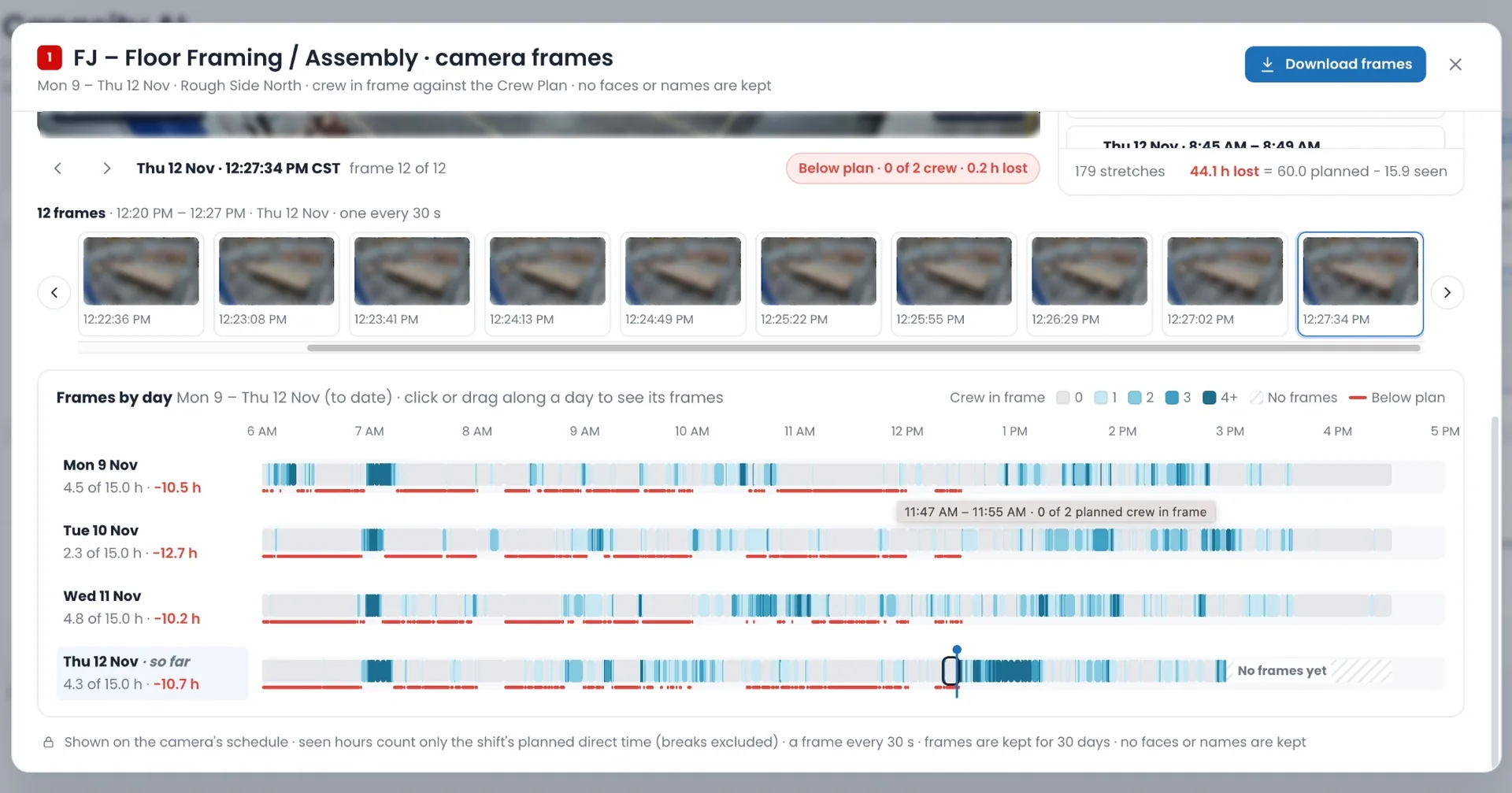
Saw 2 has been idle for 52 min, since 07:22. The latest frame shows its infeed empty and 0 people at the saw. Cut blanks are waiting on pallets in the aisle, so the saw is starved, not broken.
I sent an alert to the line lead with a Vision AI action, and I’ll tell you when Saw 2 is running again.
Camera frame from Wall Line 2 · Saw 2 at 08:14: A camera frame of an idle saw line: the machine stopped, its infeed table empty, no one at the saw and pallets of cut blanks in the aisle. Vision AI marked: Saw 2 · Idle 52 min; Infeed · Empty; Cut blanks.
- Idle since: 07:22
- Infeed: Empty
- People at the saw: 0
Done: Alert sent to the line lead. Vision AI action · Saw 2 idle 52 min.
Suggested next steps: Show the last hour of frames; Alert me when it restarts; Add it to the stops report.
The conversations, machines and numbers are illustrative examples. Factory scenes and camera frames on this page are illustrations.
A real-time MES,
connected upstream and downstream.
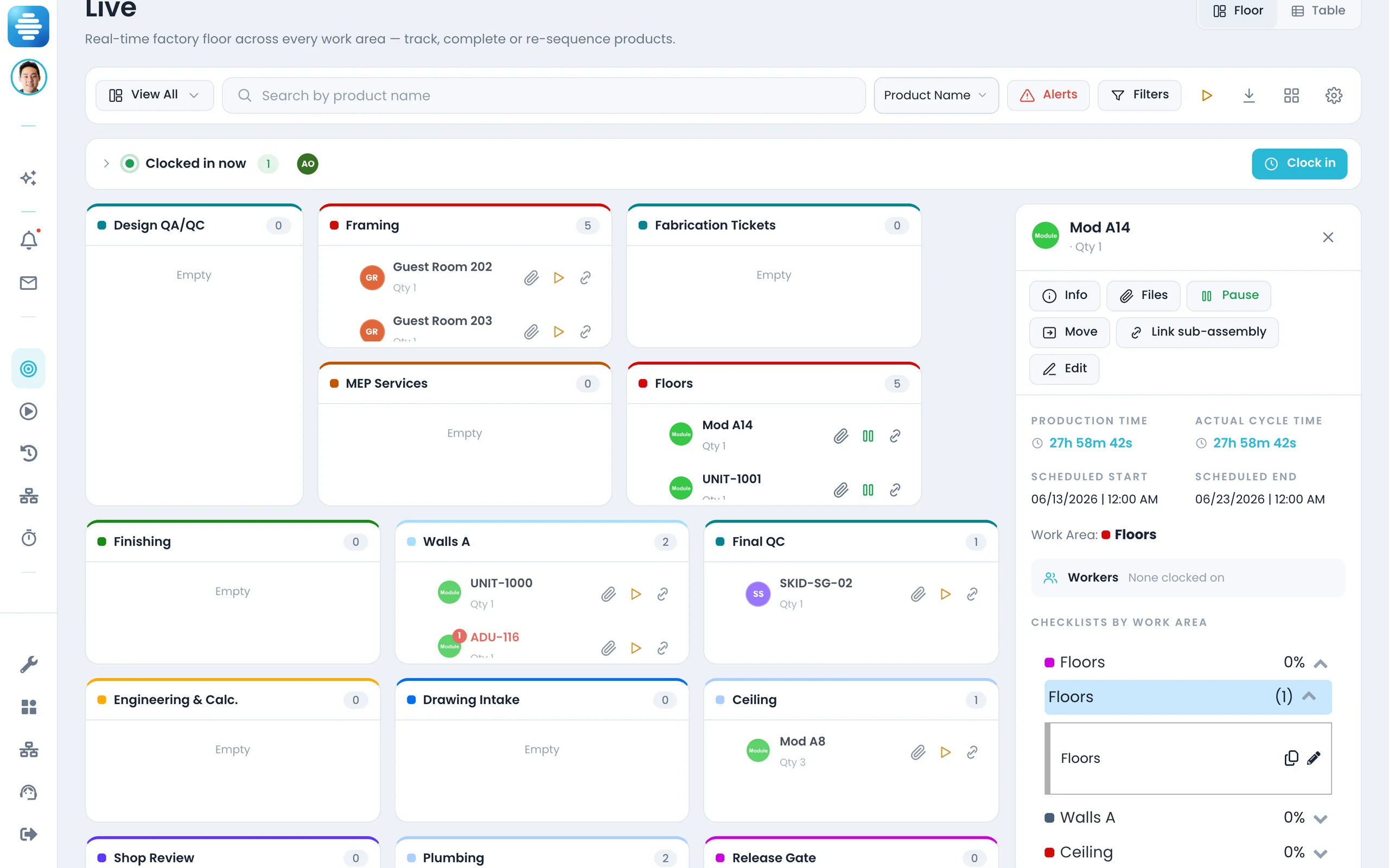
Vision AI, machines and PLCs feed Offsight MES live through open APIs, and every system upstream and downstream works from the same record. Set it up and orchestrate it with AI.
Live on every screen
The production board moves as cameras, machines and people report in, on the console, iPhone and Android.
Set up and run with AI
Connect Claude, ChatGPT or your own agent to Offsight over MCP. Set up the MES, map integrations and run the floor in plain language, within your role’s permissions.
Offsight Services.
Deployed, set up and trained by our team.
Services come bundled with Vision AI or the MES: one package, from the first camera to a trained team.
AI services
See inside your factory this week.
Connect a camera you already have. We will show you live detections, Offsight AI answering questions about your floor, and how the MES and our team fit around it.