Features · Production
Run every unit and zone from one live board.
Offsight Production gives the whole plant a live view of every unit, zone, checklist, timer, alert and handoff so teams can act while work is moving.
Operational benefit
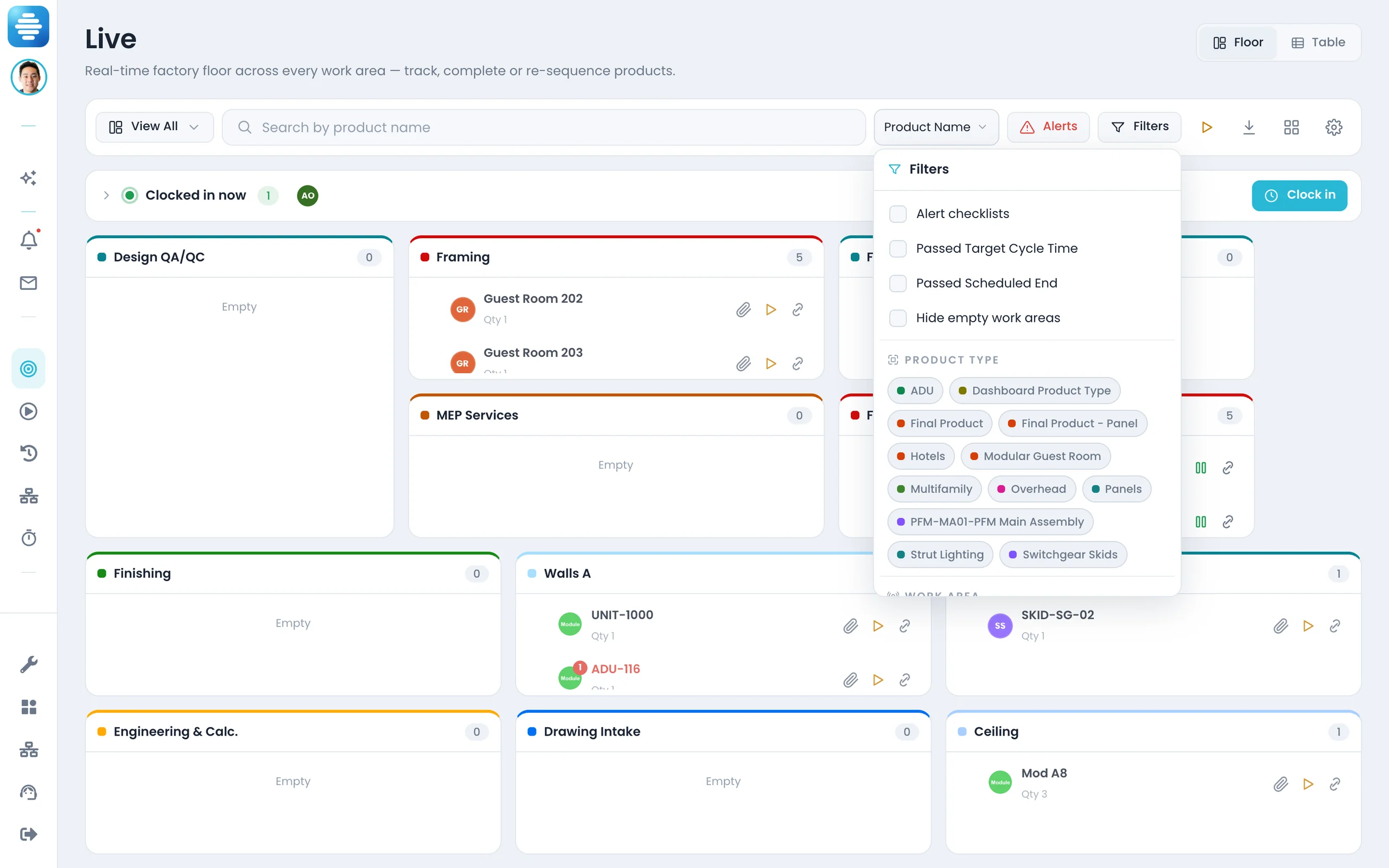
One board for the work in motion.
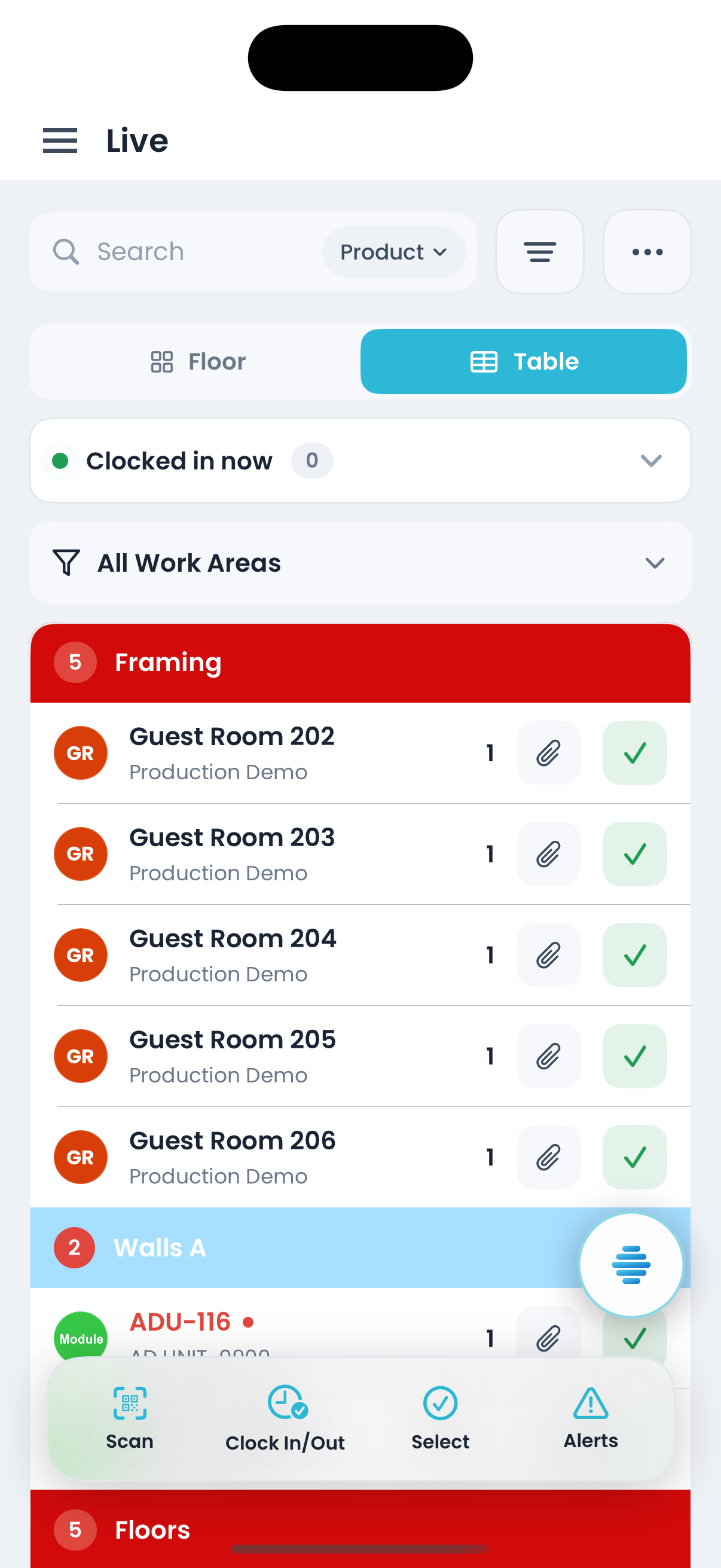
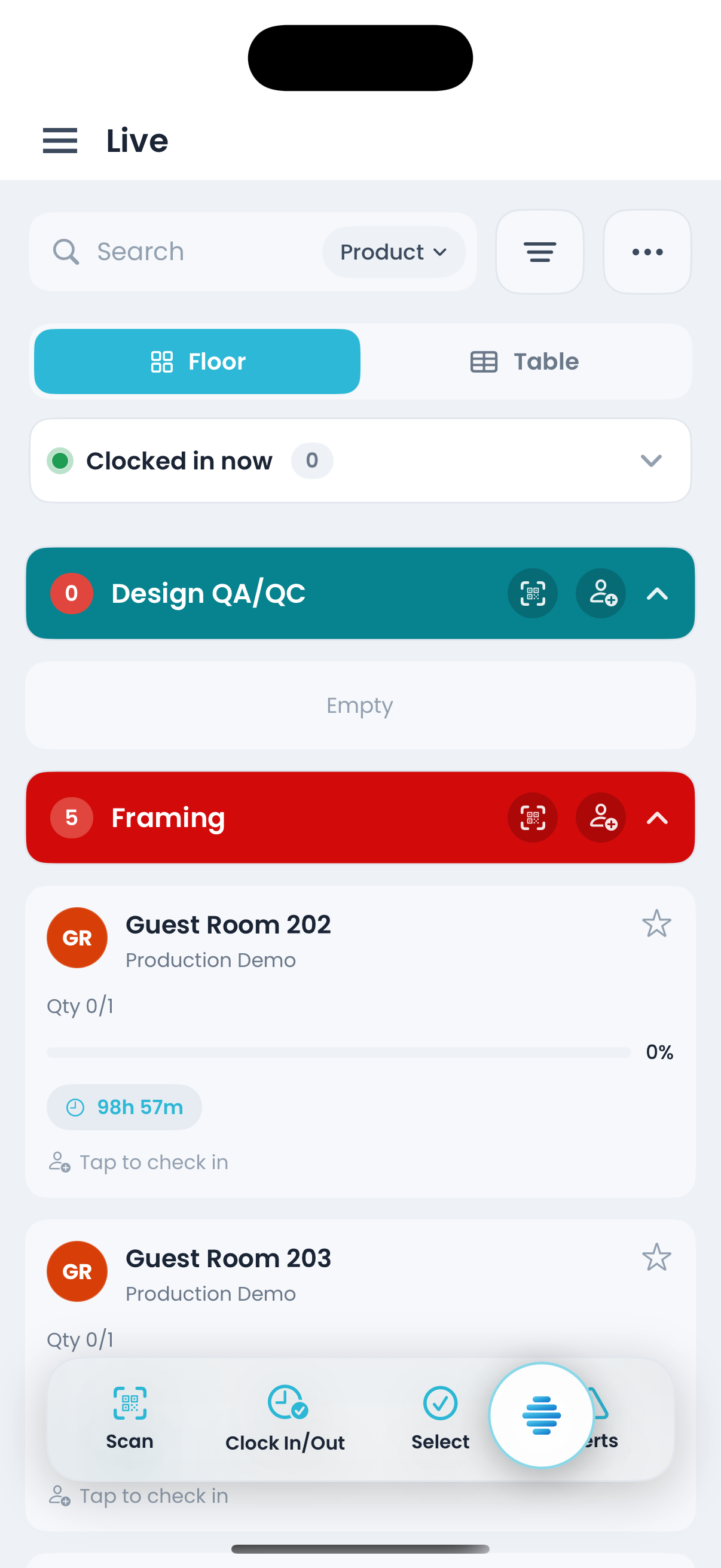
- Move a unit between zones and the console, tablet and mobile app stay in sync.
- Each card shows elapsed time against target cycle time so slow zones surface early.
- Pause, resume, complete or send work back to Start without leaving the board.
- Search by product, zone, user, order, type, project, ID or part.
What is included
Live board, start queue, history, automations, timers and production alerts.
Production — Live
Move units between zones, link subassemblies and open checklists or zone history from the unit drawer.
Production — Start
Manage the pre-production queue by project order or sortable table.
Production — History
Review completed work by project/product tree or flat table.
Automations
Use rules to flag units, pause work or create the next step from inspection results.
Time Tracker
Track task timers with play, pause, stop and reset by zone or product type.
Alerts — Production
Failed checks surface on the board immediately.
With Offsight AI
Offsight AI helps turn live floor data into action.
Offsight AI reads production, quality, labor, materials and documents in the same operating system.
Builds the production setup. AI Setup helps build zones, product types, tasks, target cycle times and checklists from your existing workflow.
Works from the board. The Assistant can read the screen you are on and help update the production record.
Explains the bottleneck. Ask why a zone is running long and get the units, tasks and failed checks behind it.
Captures updates from the floor. Operators can describe what happened and Offsight records the update, photo and alert in the same system.
On the floor
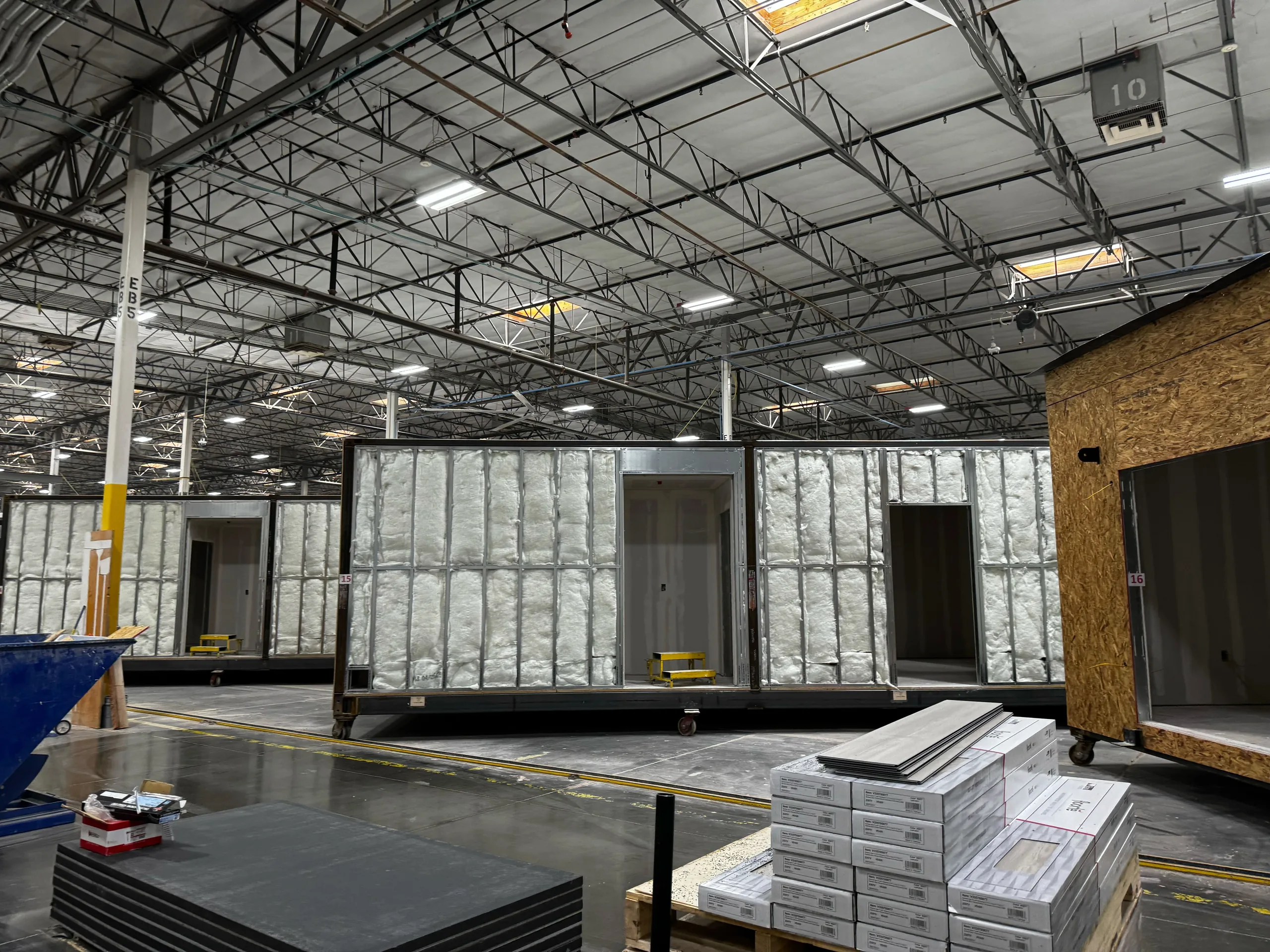
The same board is available where the work happens.
Connected to
The rest of the Offsight system.
See Production running on your factory workflows.
We will walk through the workflows using your products, teams and factory terminology.