Offsight AI
Factory management
built with AI at the core.
Offsight connects production, materials, labor, quality, planning and analytics in one live factory system that can understand and act on real-time data.
AI powered platform
AI that builds and customizes your factory workflow.
Mission Control turns goals and existing records into configurable factory workflows, while the AI Assistant helps every team refine forms, tasks, checklists, approvals and reports as the factory changes.
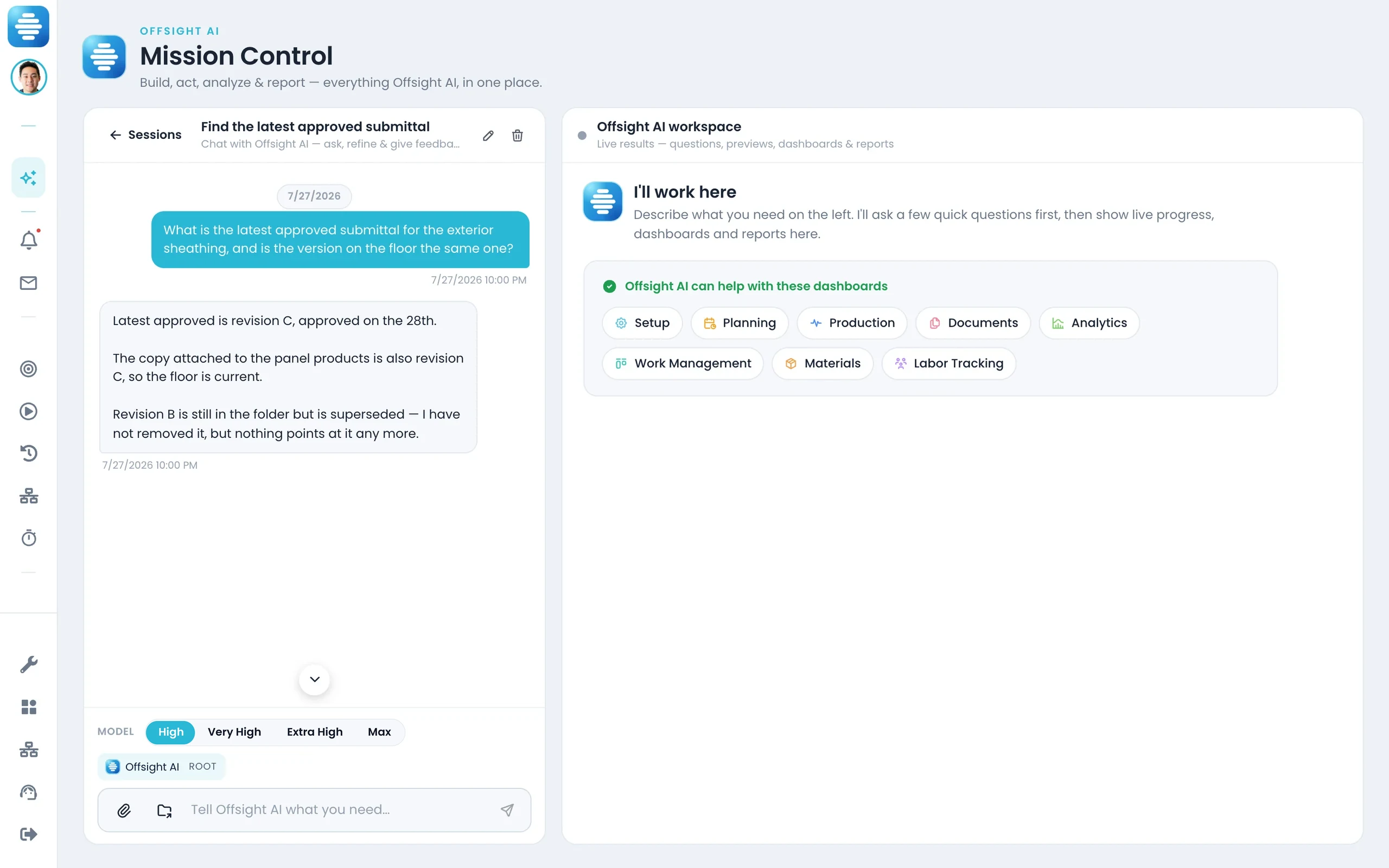
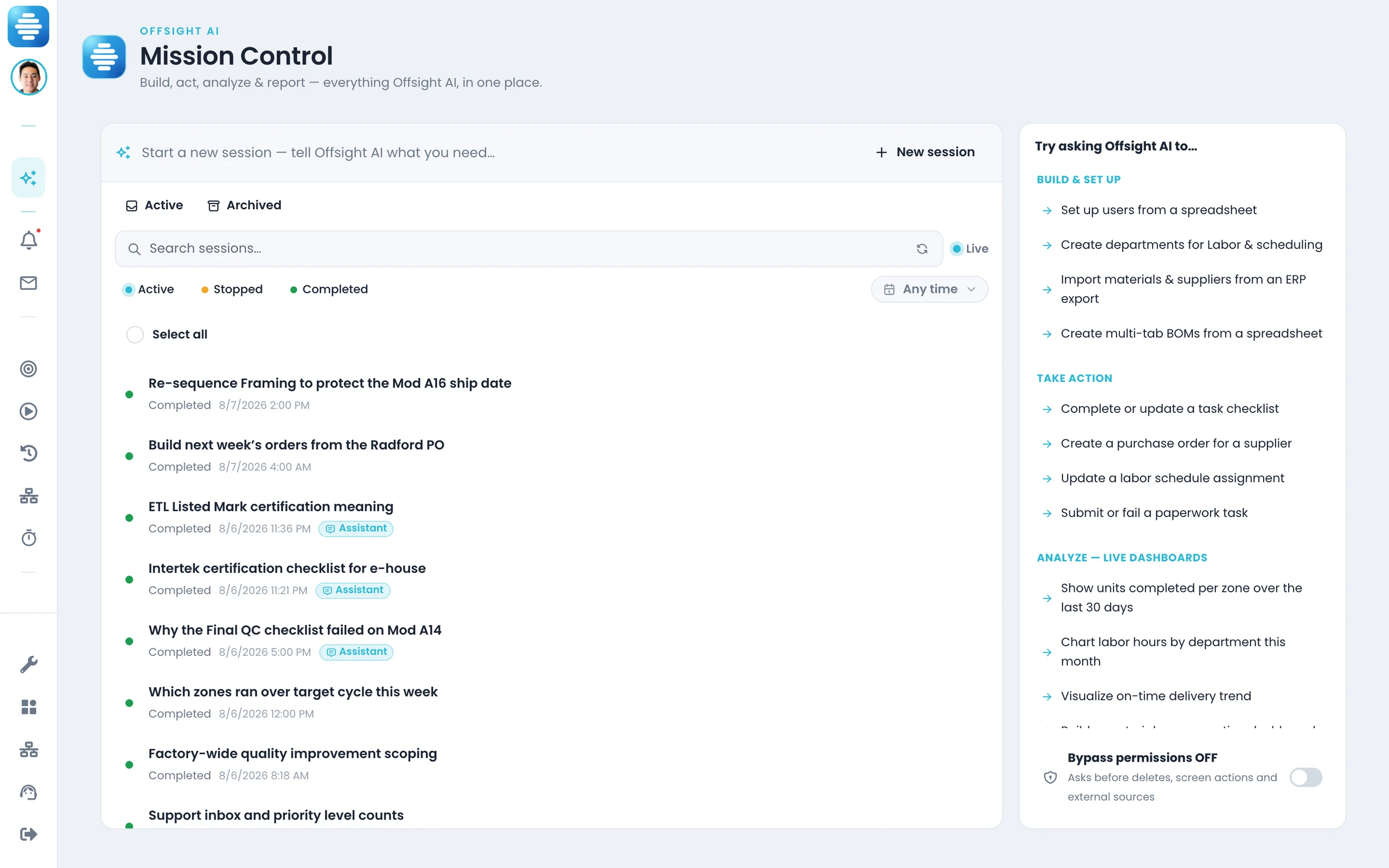
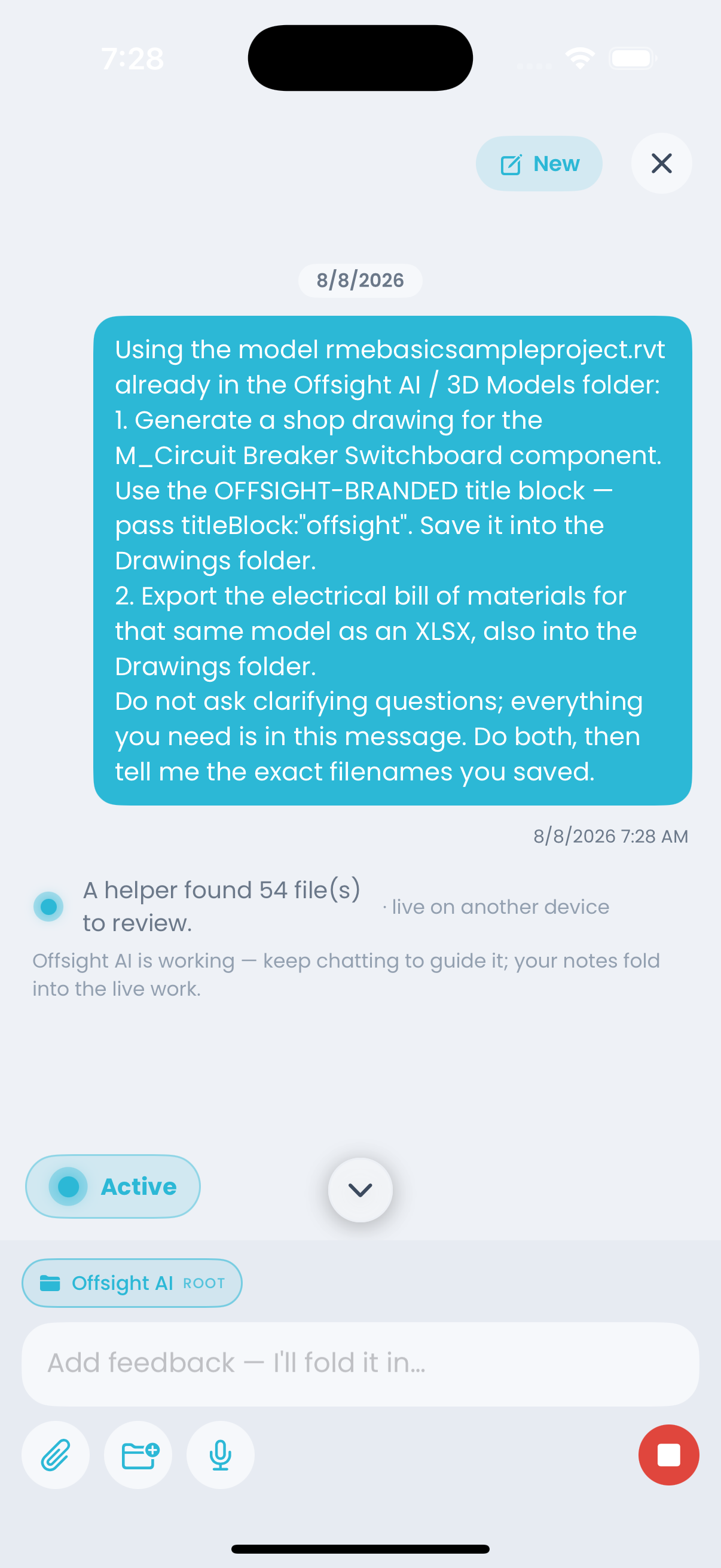
Mission Control
Describe the workflow you want: map stations, build a checklist, create a quality process, set up users, generate reports or connect a purchase-order flow.
Mission Control helps turn those requests into structured factory setup, auditable actions and repeatable workflows your team can review and approve.
The AI Assistant
It lives on every screen, understands the operator’s context, and helps teams adjust tasks, capture data and handle exceptions in the flow of work.
It can explain SOPs, summarize exceptions, guide quality checks, interpret photos and keep stakeholders updated without leaving Offsight AI.
Factory workflow by workflow
Production, materials, labor, quality and planning in one system.
Move through the real Offsight console and mobile views.
Production — Live
Production · screen 1 of 4
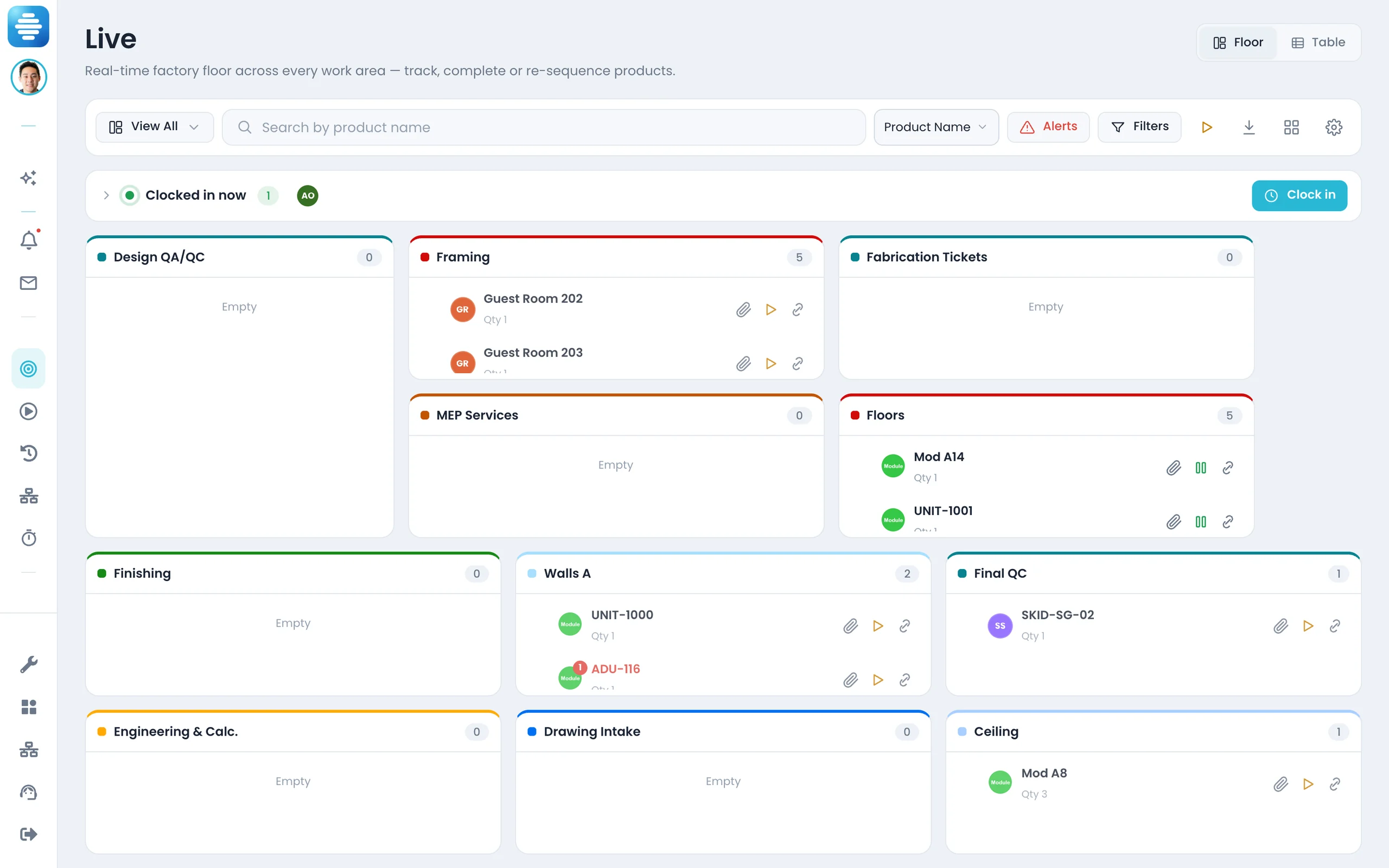
The Production — Live board in Offsight AI.
Every unit, station and exception against plan, cycle time and quality status.
AI inside the workflow
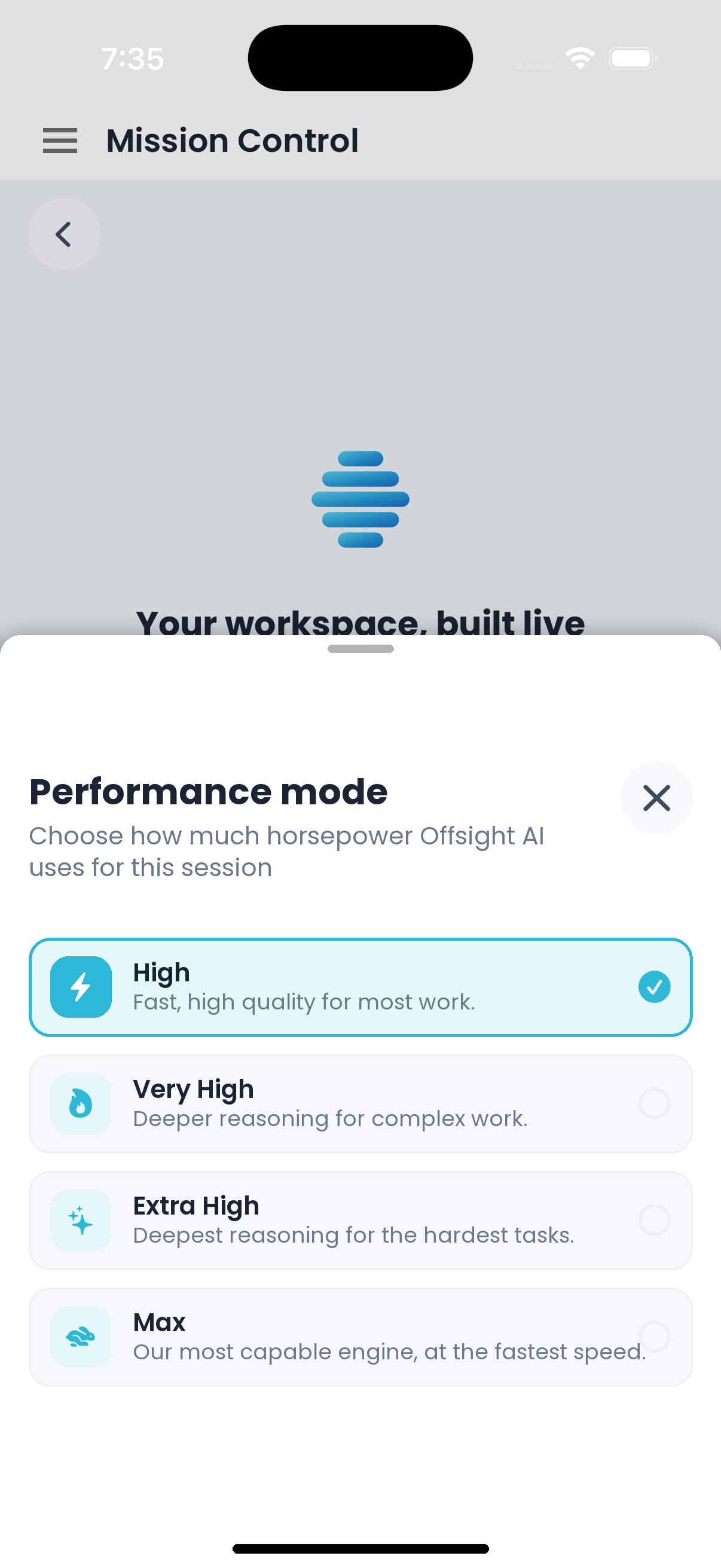
Ask how to protect a ship date, balance a line or recover a delayed station, then approve the plan before it changes the floor.
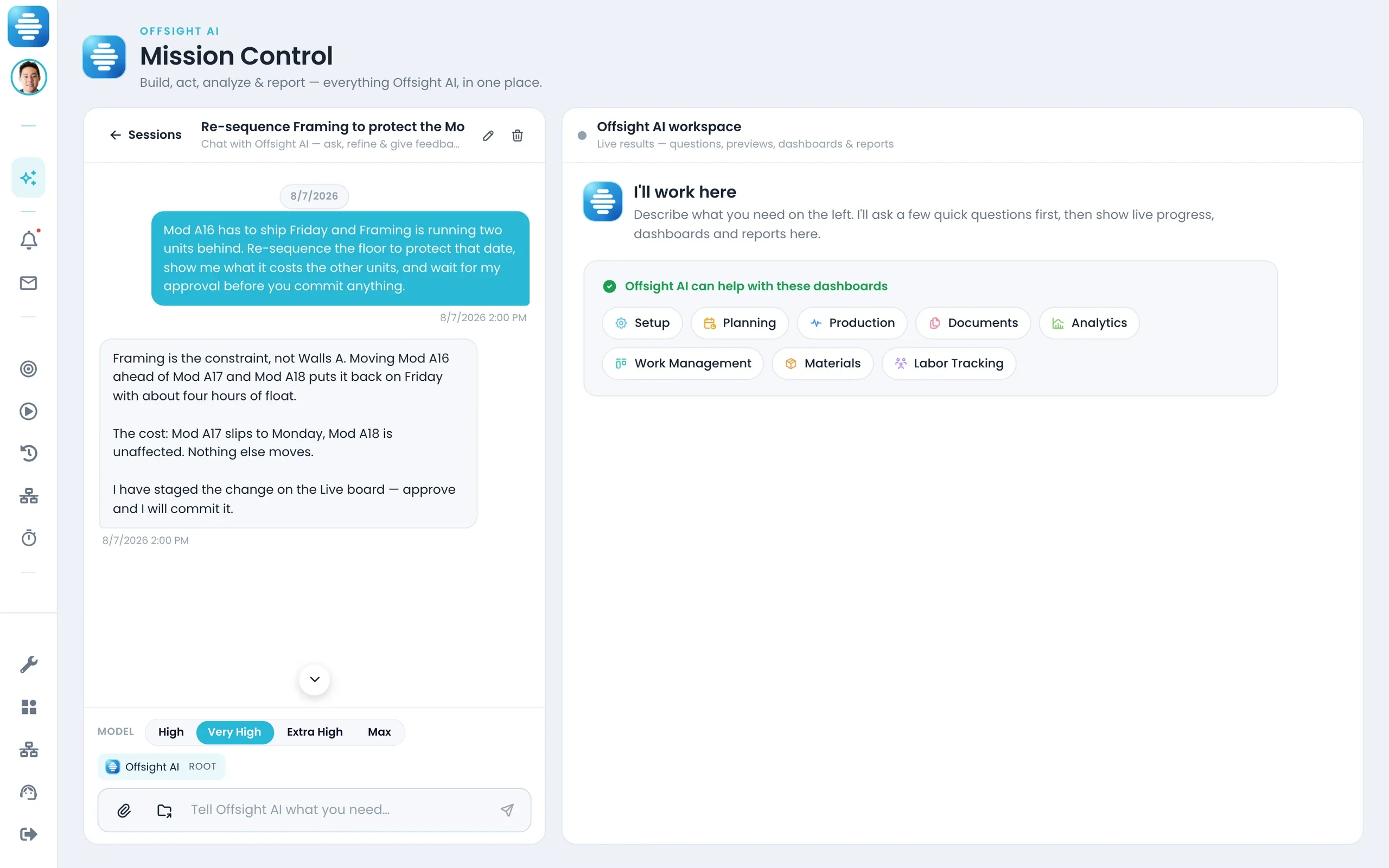
A Mission Control session working with live factory data.
AI-native execution
It understands the factory screen you are on.
- Knows the dashboard, product, station, user permissions and data behind the screen.
- Can navigate, filter, refresh or open the workflow you ask for.
- Can help complete fields, create records and prepare changes for approval.
- Every action is logged with a plain-language receipt.
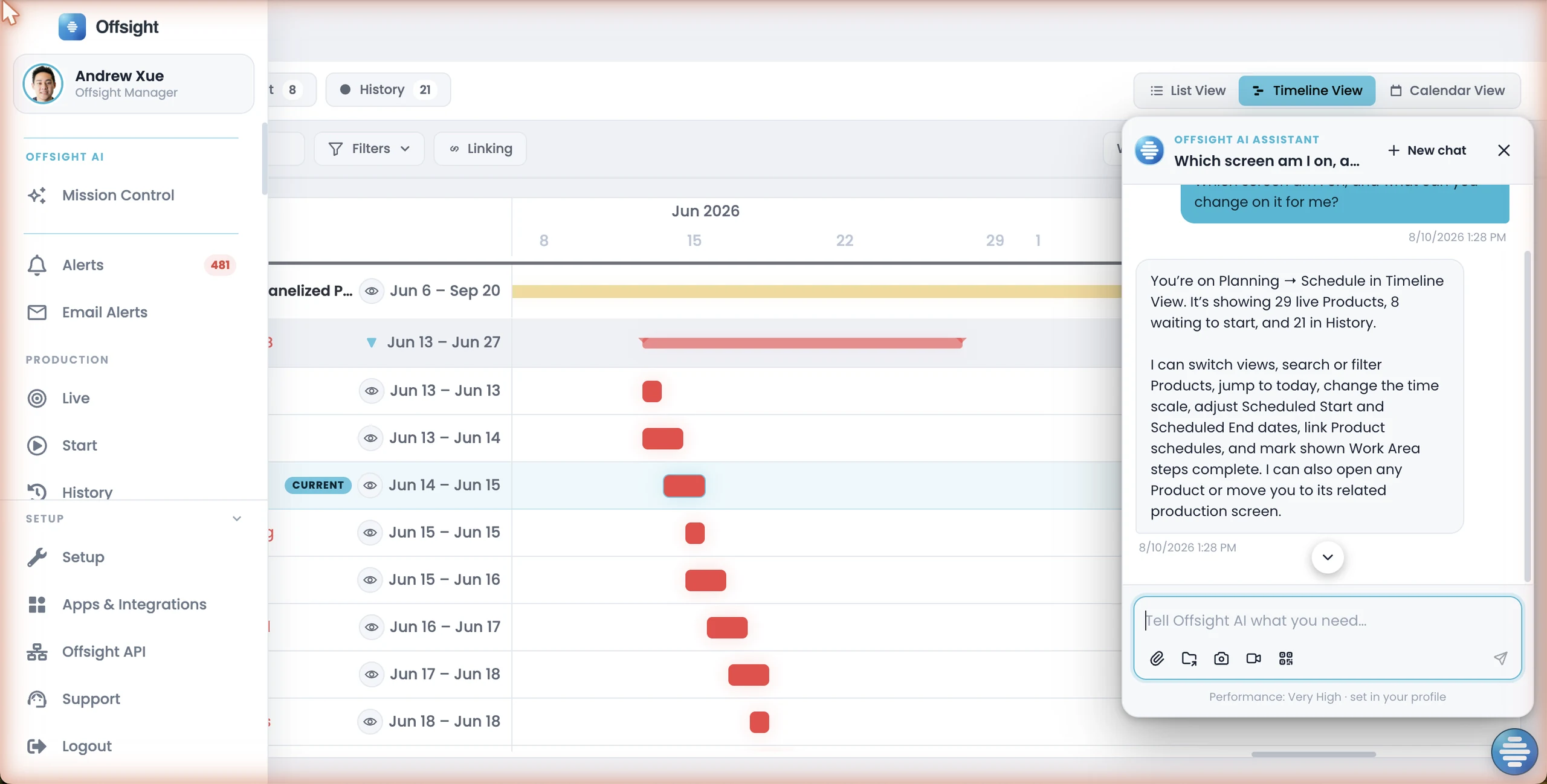
Faster factory rollout
Configure your factory platform from the records you already have.
- Upload drawings, SOPs, travelers, BOMs, schedules, spreadsheets, photos and scans.
- It drafts product types, zones, tasks, checklists, forms, users and reporting structure.
- Your team reviews and approves the setup before it goes live.
- Terminology matches your factory so the system feels familiar on day one.
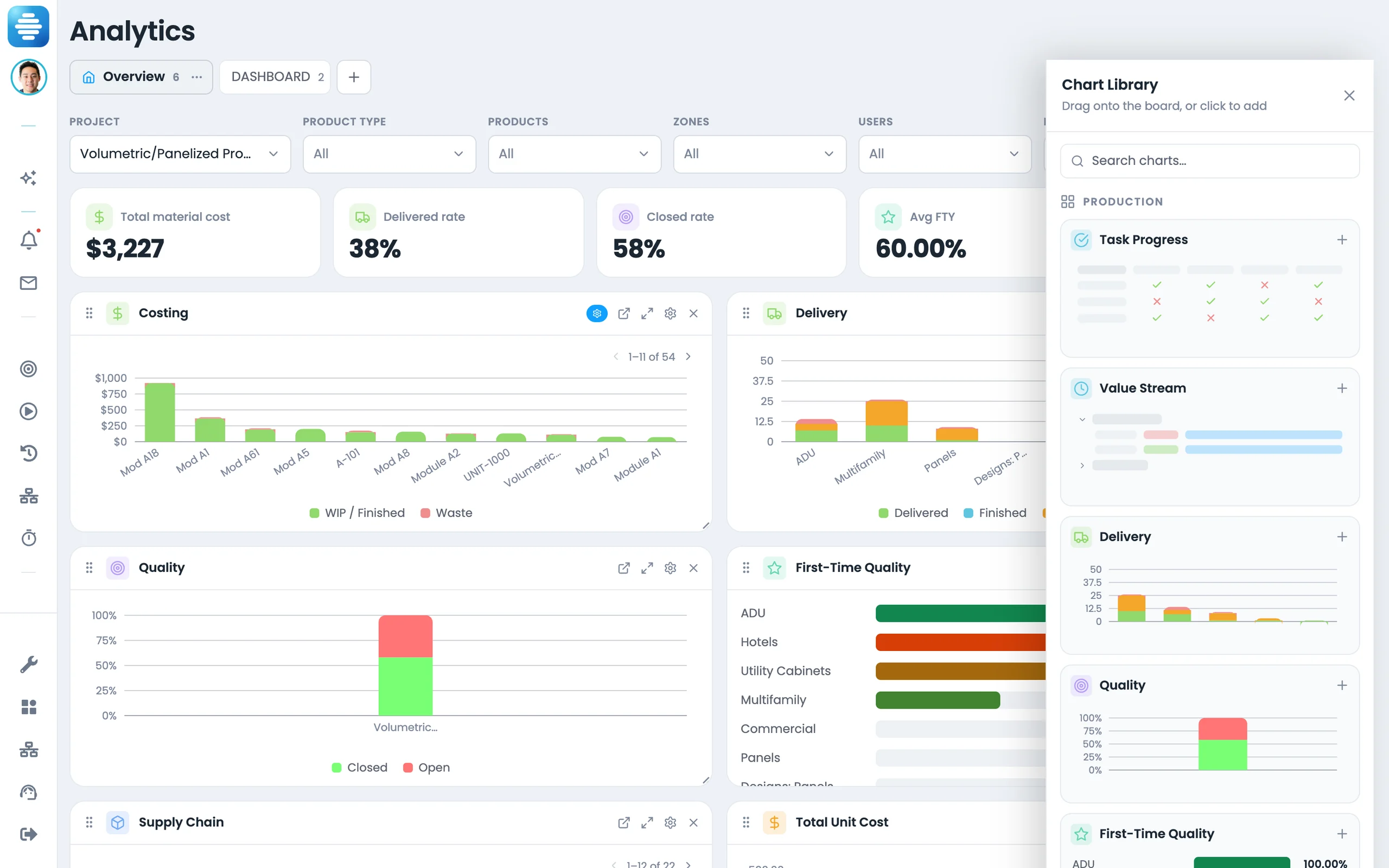
See AI powered factory management on your data.
Bring a production workflow, spreadsheet, drawing set or traveler and see how Offsight turns it into a connected factory process.